Embrith · Embers Reborn | Customized Android System for Kindle
 |
Project name origin: Embers and Rebirth ✨✨ The spark lives on, rising anew from the embers. ✨✨ |
  [ Homepage ] [ Source Code ] [ Report A Bug ] [ Discussions ] |
Runs a self-built Android 7.1.2 container on a jailbroken Kindle, turning the E Ink screen into an Android device that can install APKs and is also good for reading.
Android base: Android 7.1.2_r36 (core_minimal)
Test device: Kindle Paperwhite 6 (MT8512, 32-bit armv7l, approximately 980 MB RAM, 1272x1696 grayscale E Ink display, jailbroken)
Device firmware: 5.20.1
Features
Install and Run Android Apps
A self-built Android 7.1.2 container; install any APK from Kindle storage.
Optional dex2oat compilation to speed up app startup (memory-intensive; one app at a time).
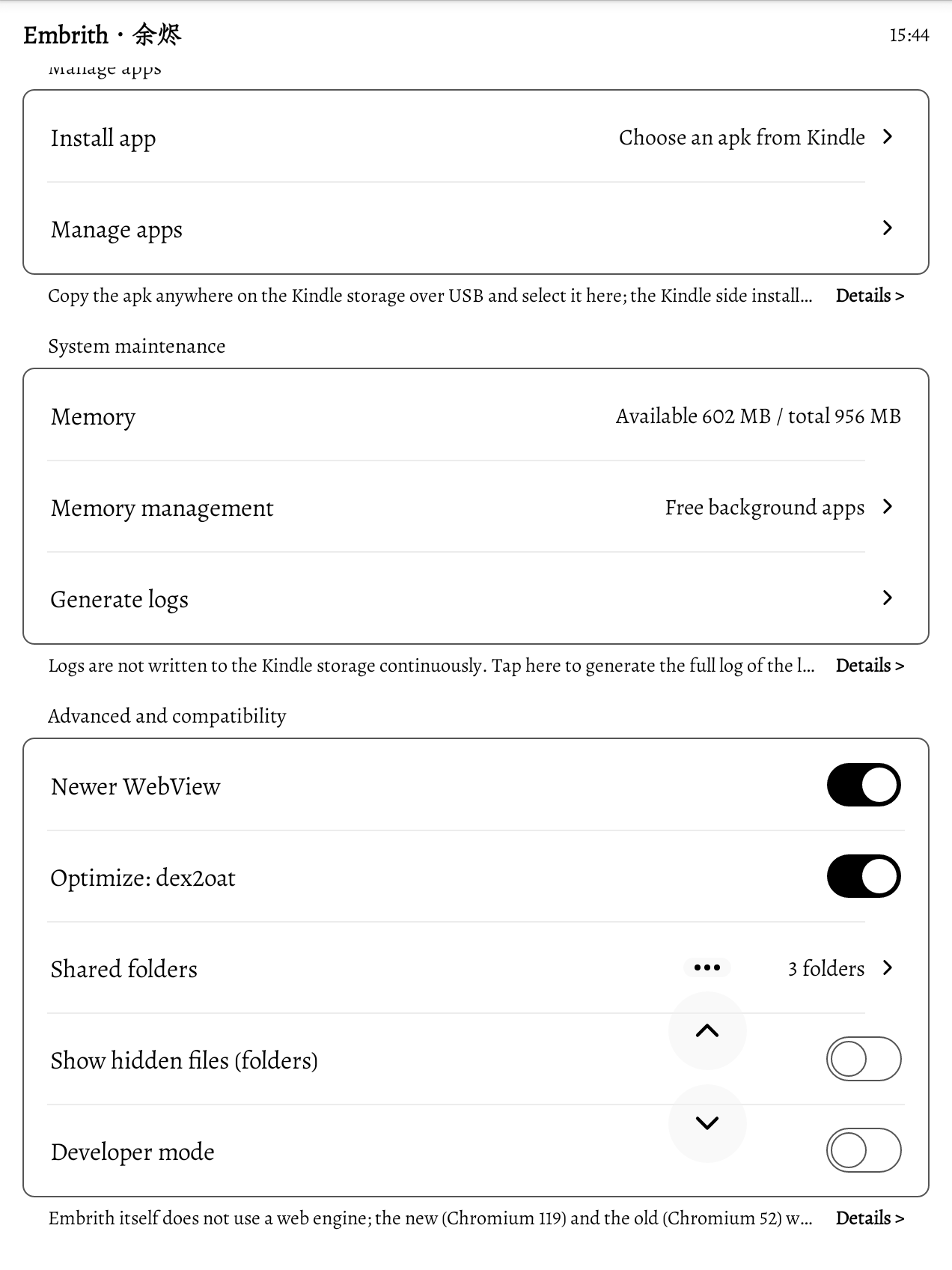
Selected Kindle folders can be shared read-only into Android (
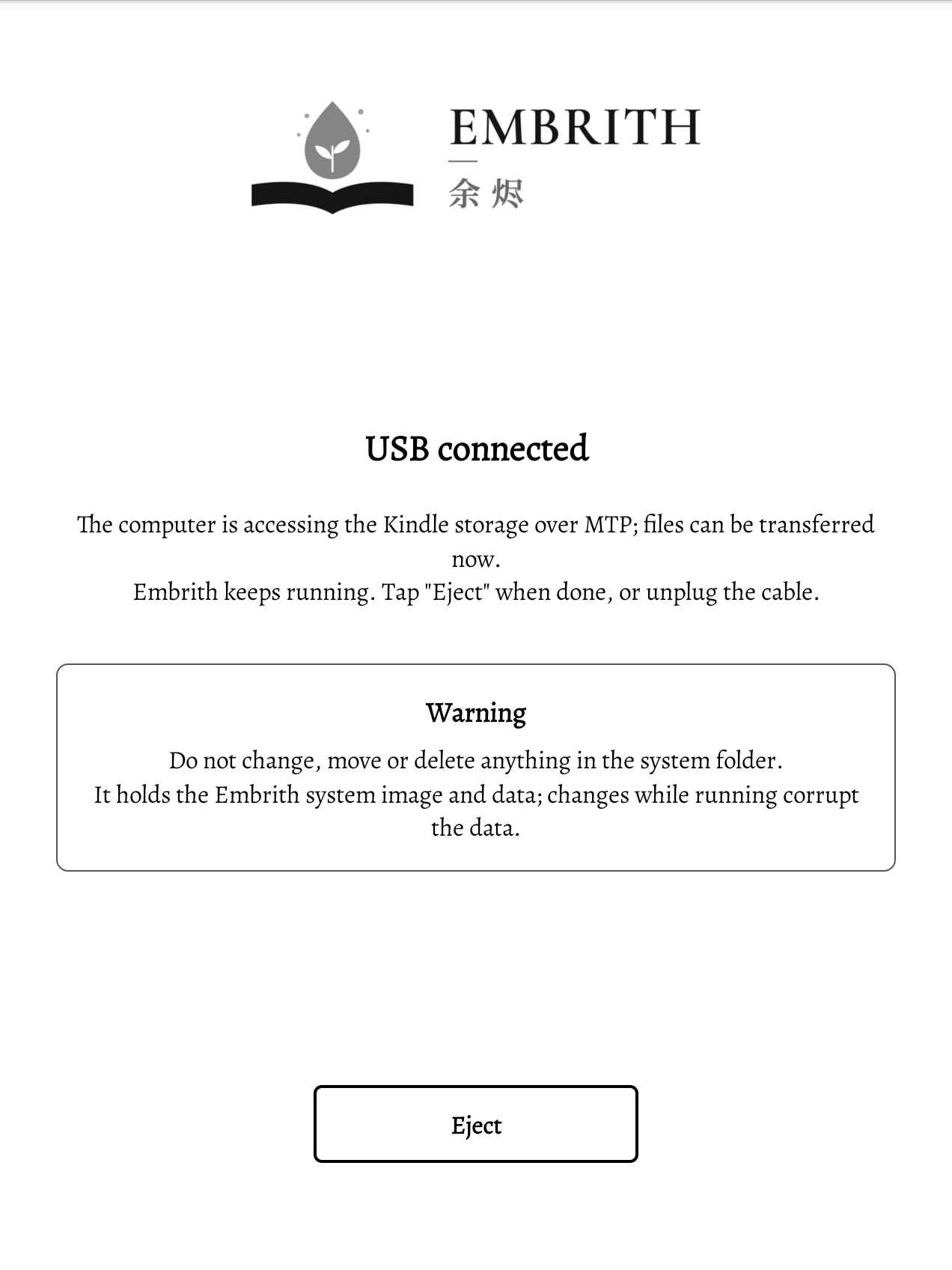
/data/media/0/Kindle). The whole storage cannot be shared; pick a folder inside it.Files can be transferred to a computer over MTP while Embrith is running.
Newer web engine (Chromium 119).
Launcher, Library and Reading
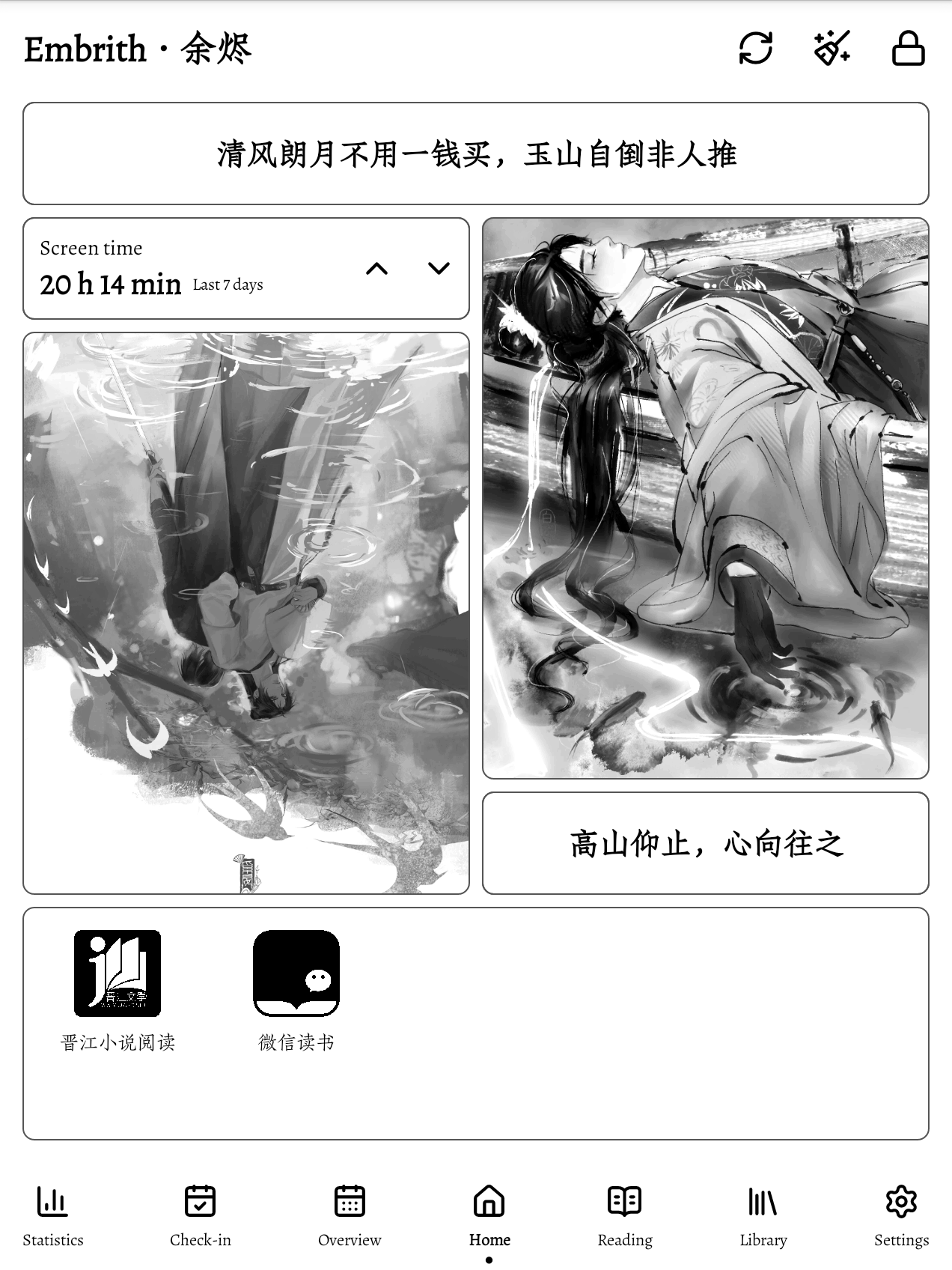
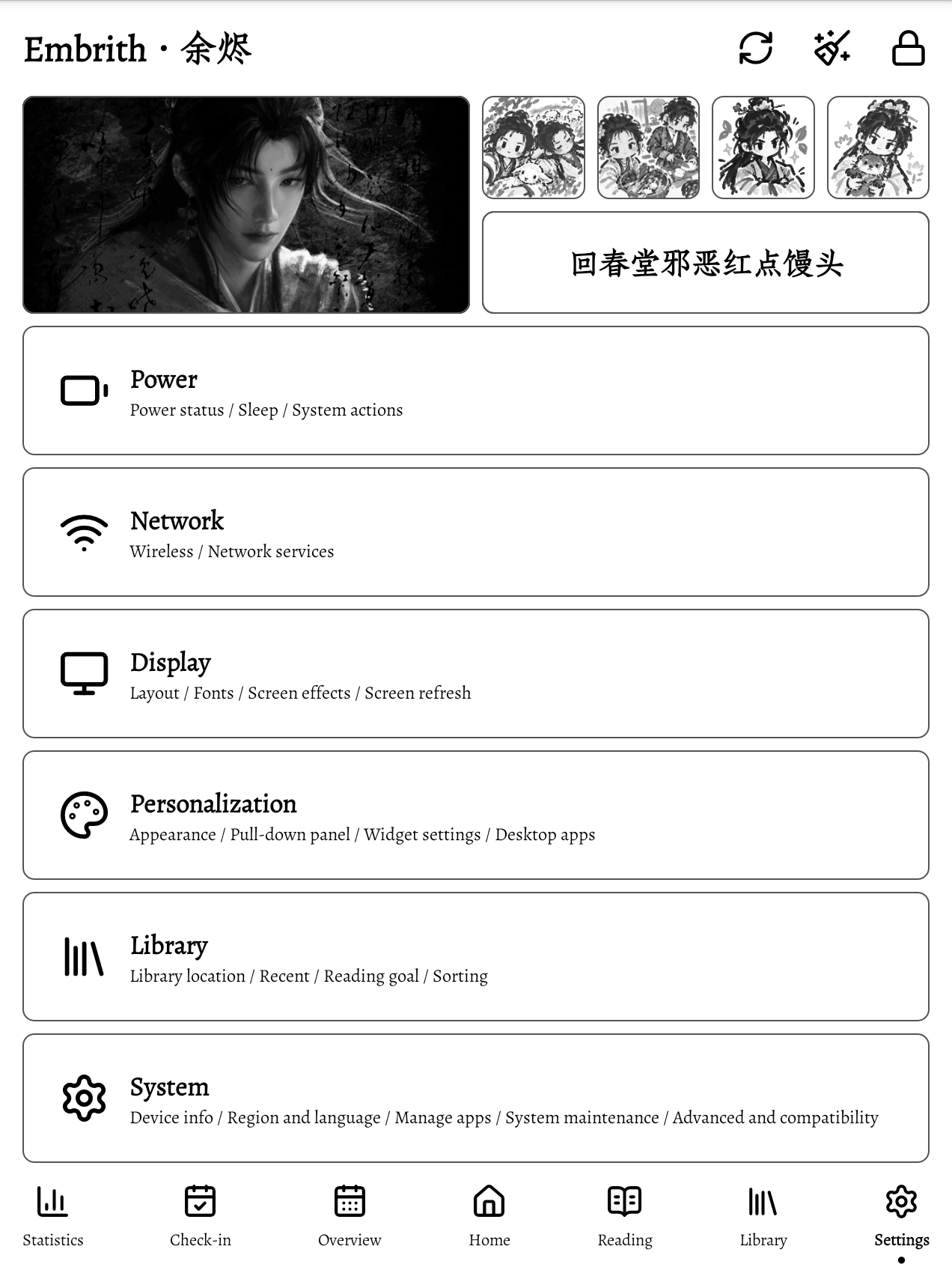
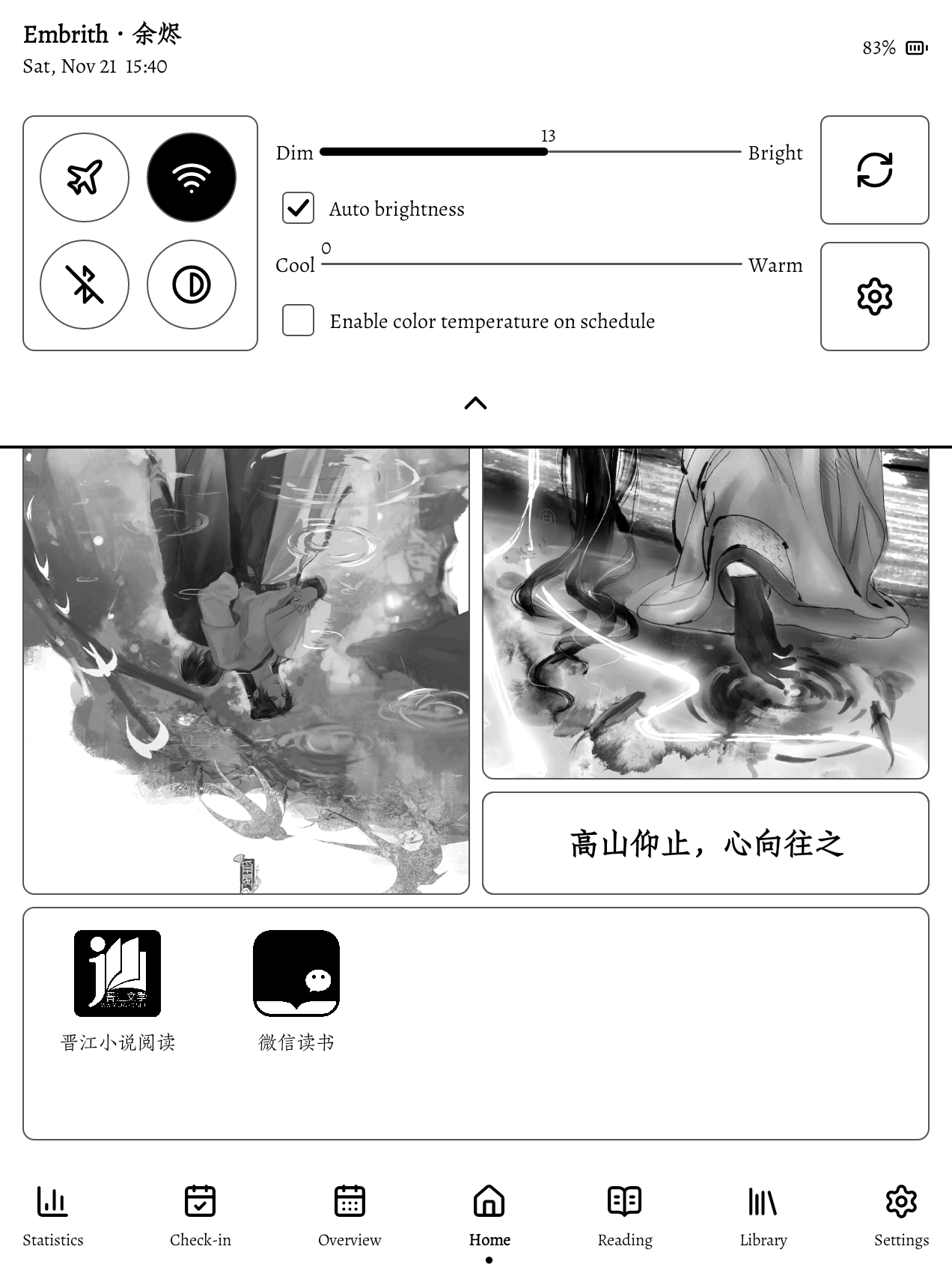
Minimalist launcher: app grid, widgets (daily / weekly screen time, image display, text display, clock, app shortcuts, quick buttons), and a Kindle-style status bar.
Clock widget: several dial styles (plain, numbers 1-12, roman, minimal, dots) and a digital clock, with a choice of time zone.
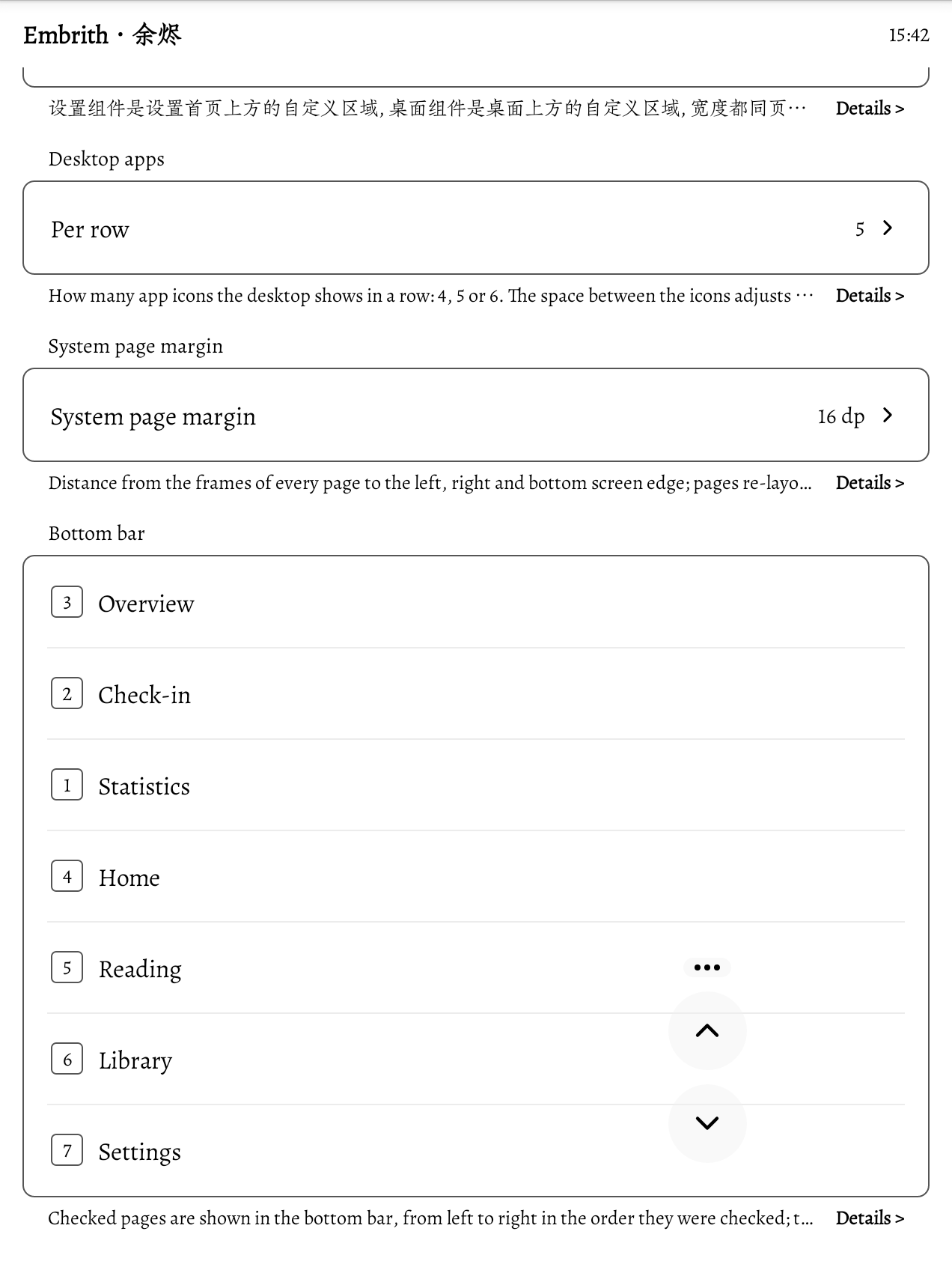
Bottom bar pages can be chosen and reordered: Stats / Check-in / Overview / Home / Reading / Library / Settings.
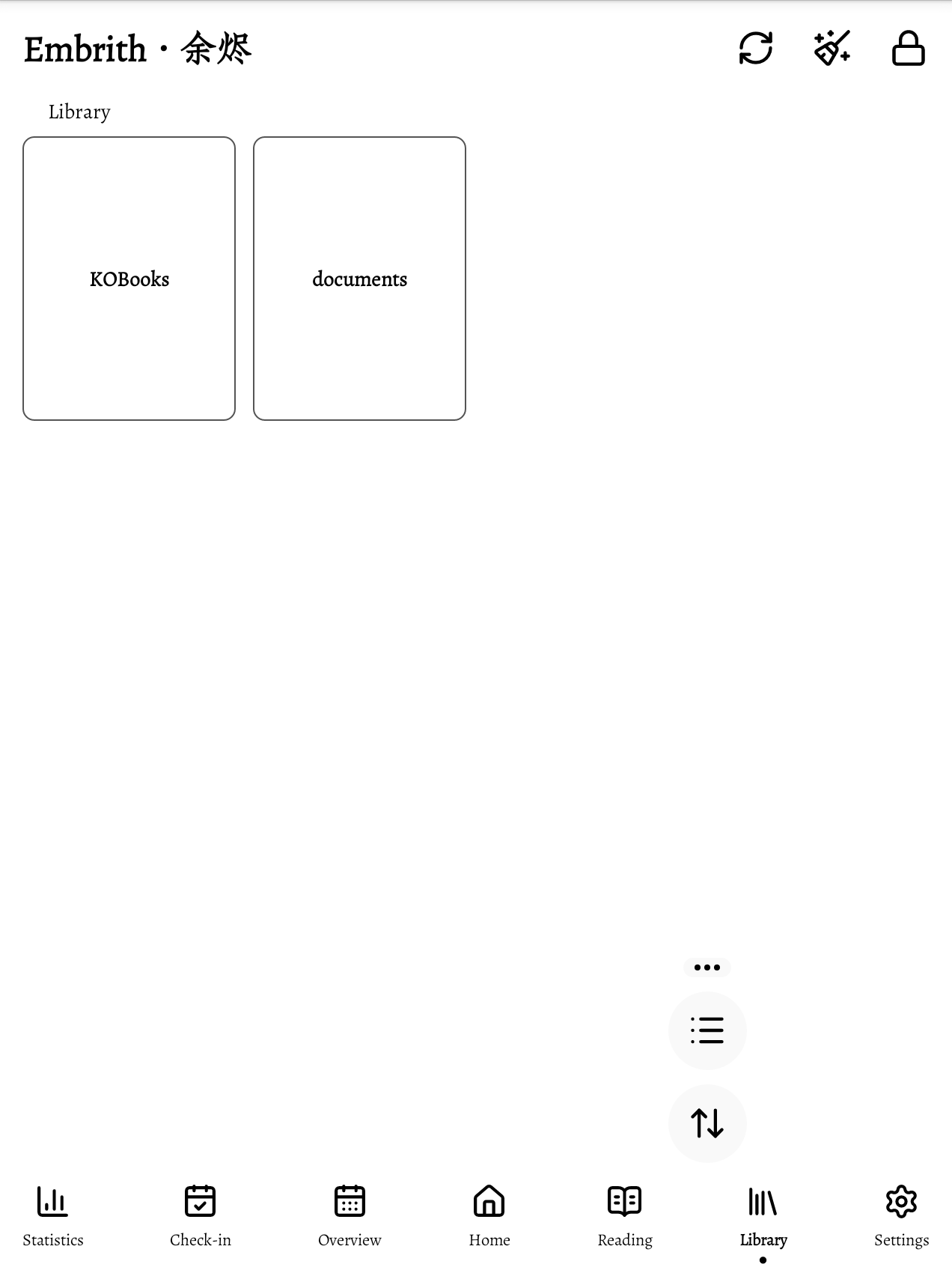
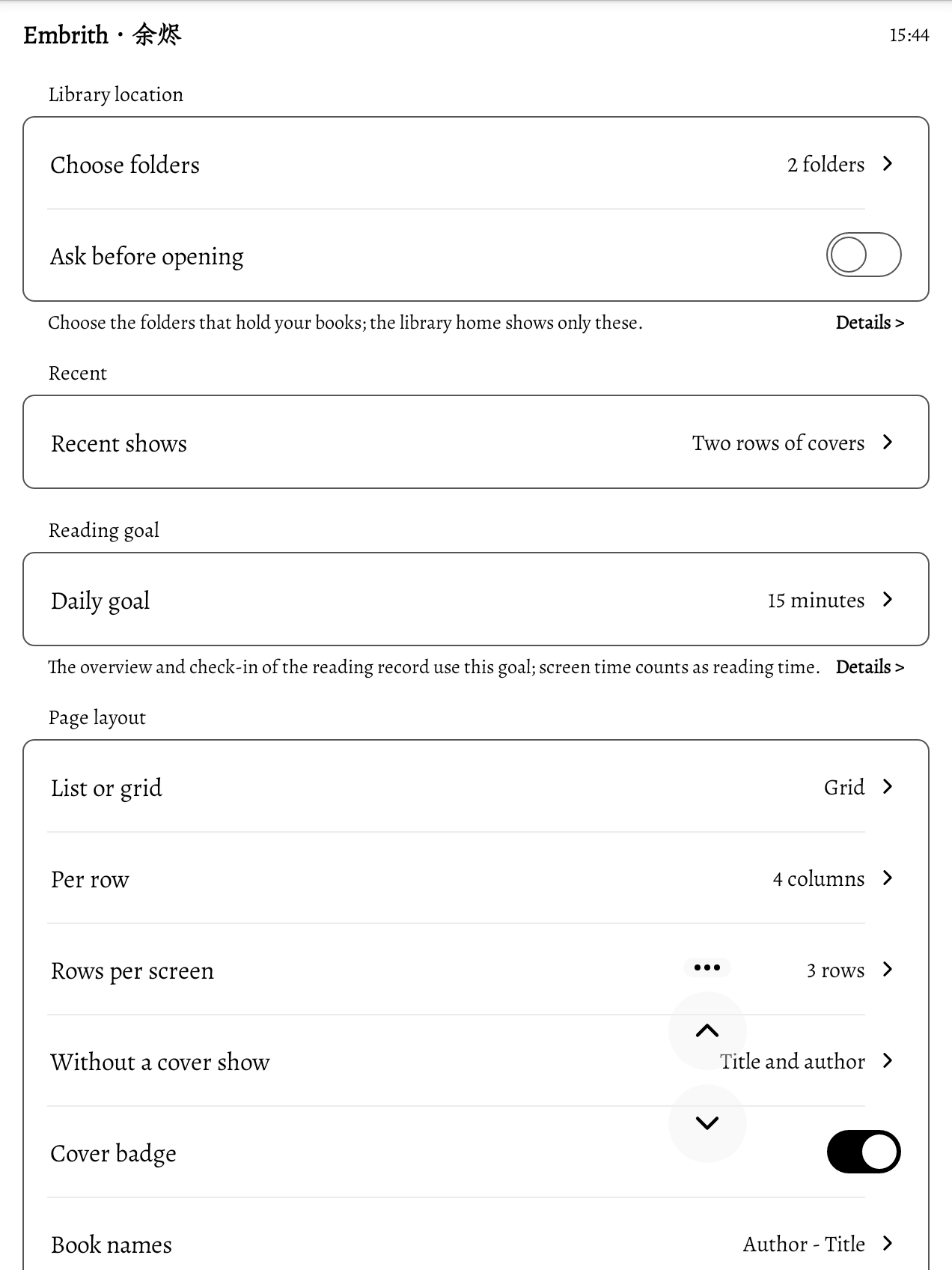
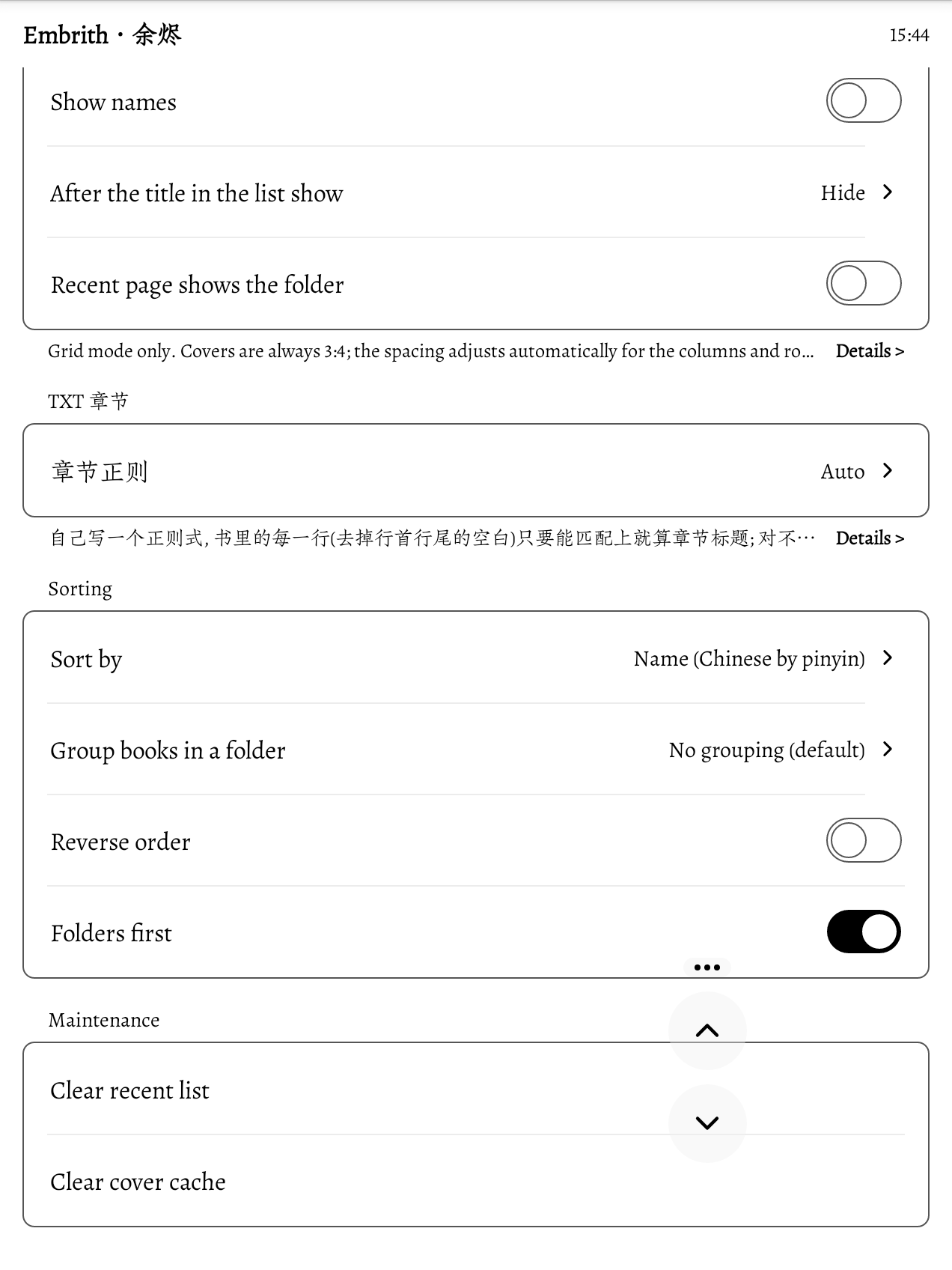
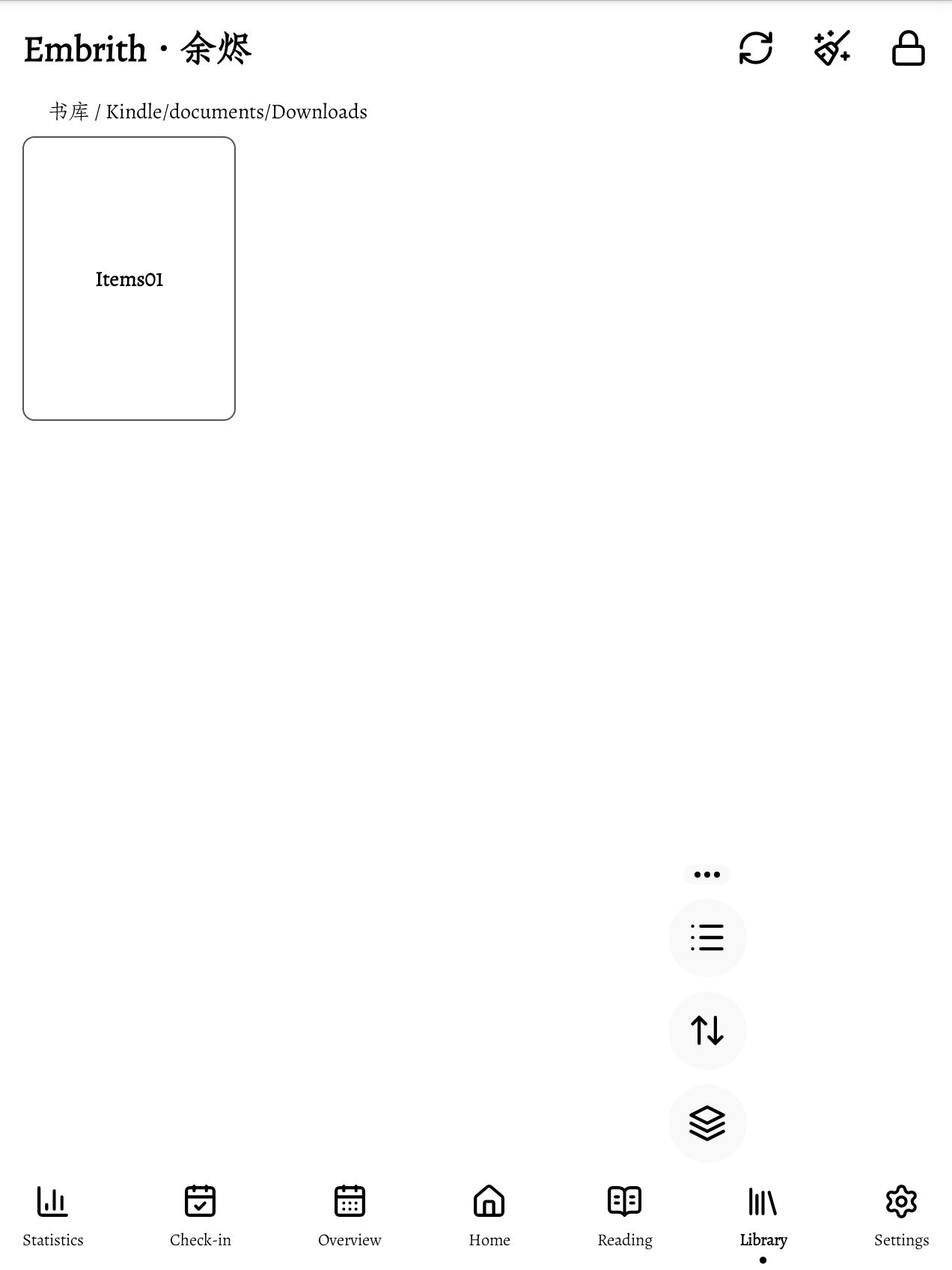
Library: only the folders you choose are shown; cover grid or list view, columns per row / rows per screen, book title shown when there is no cover, sorting (including reverse order and folders first) and grouping, clear recent history, clear cover cache.
Reading page: shows the book you are reading and recent books; tap a cover to continue reading.
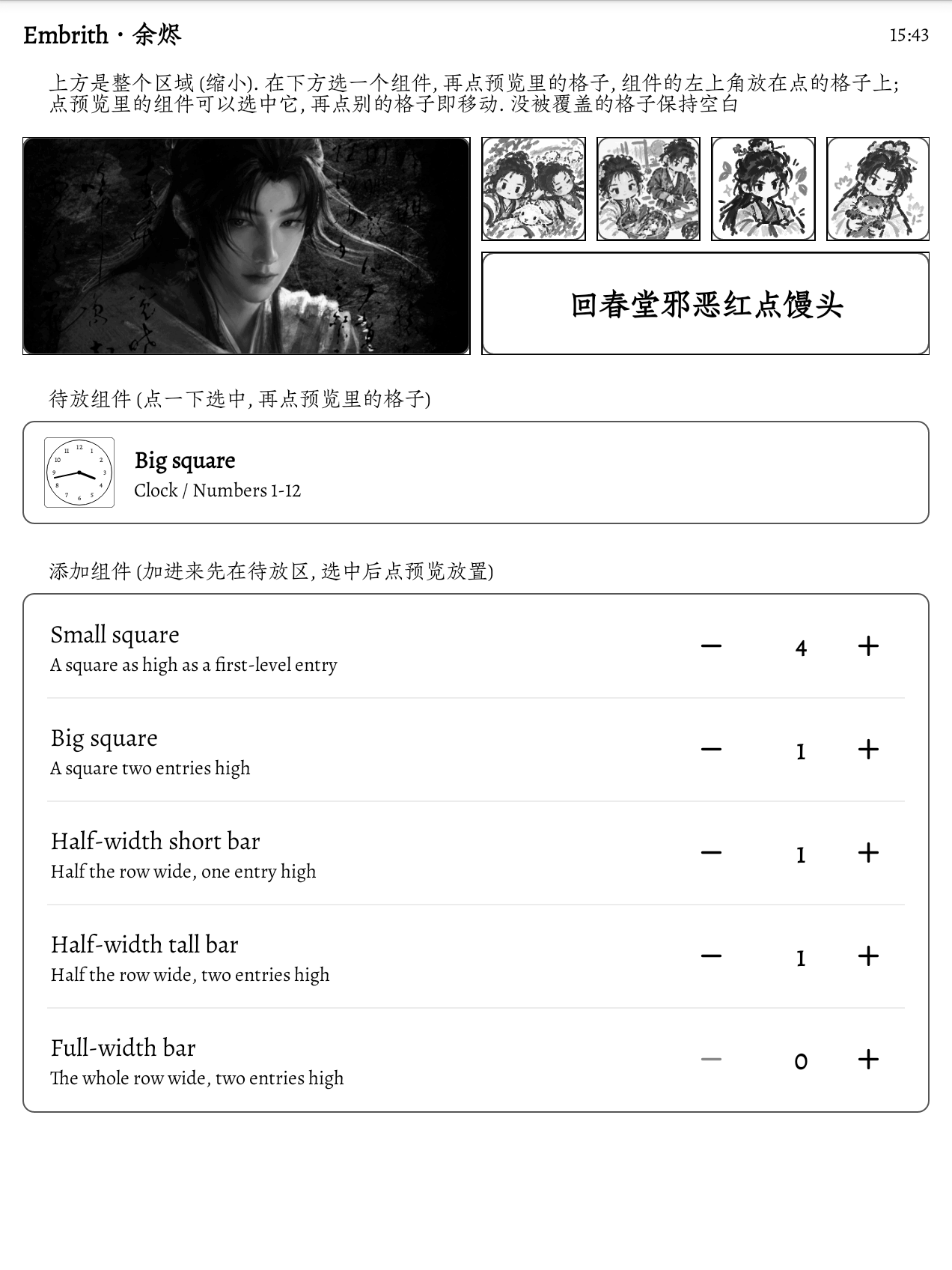
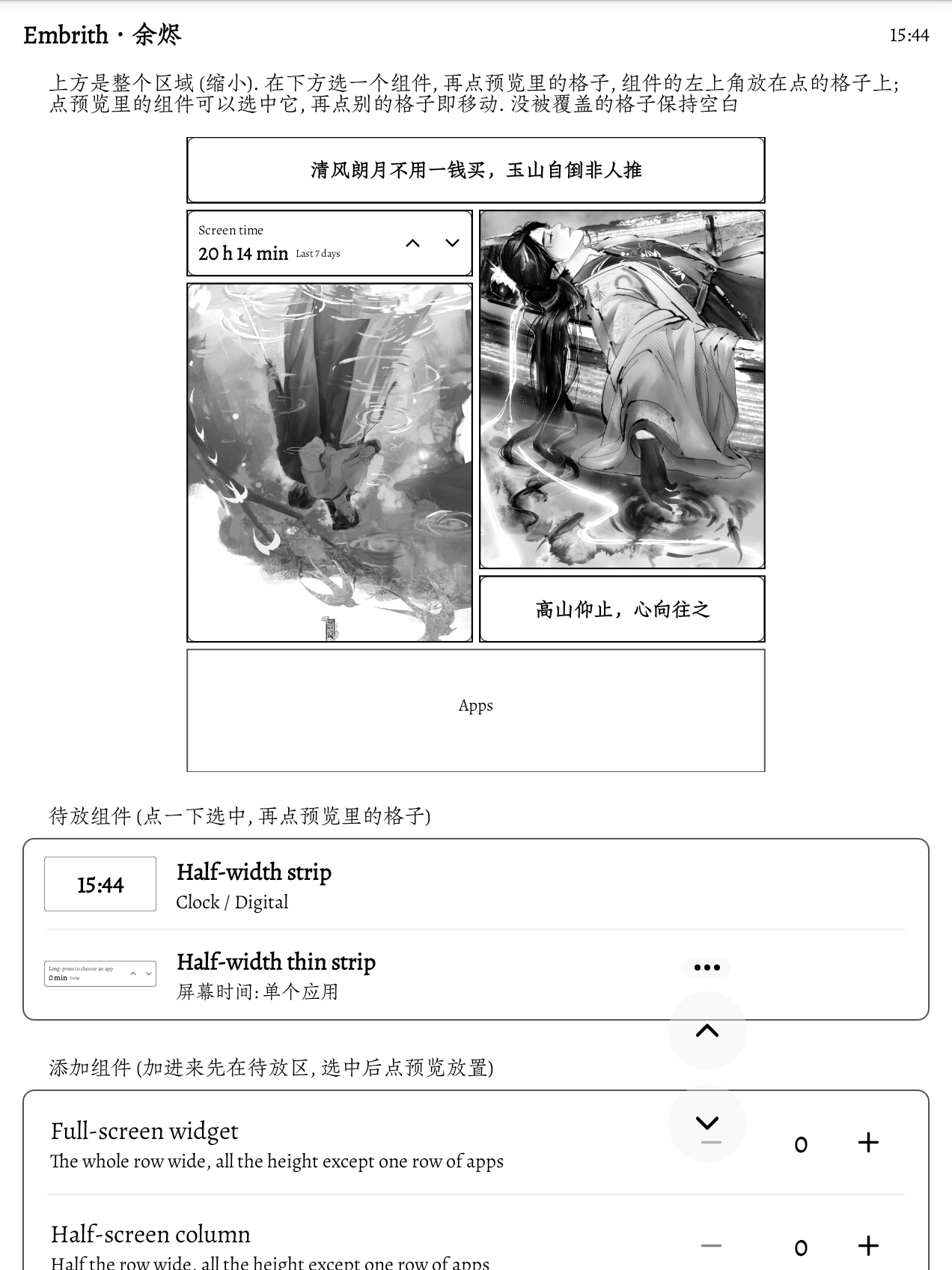
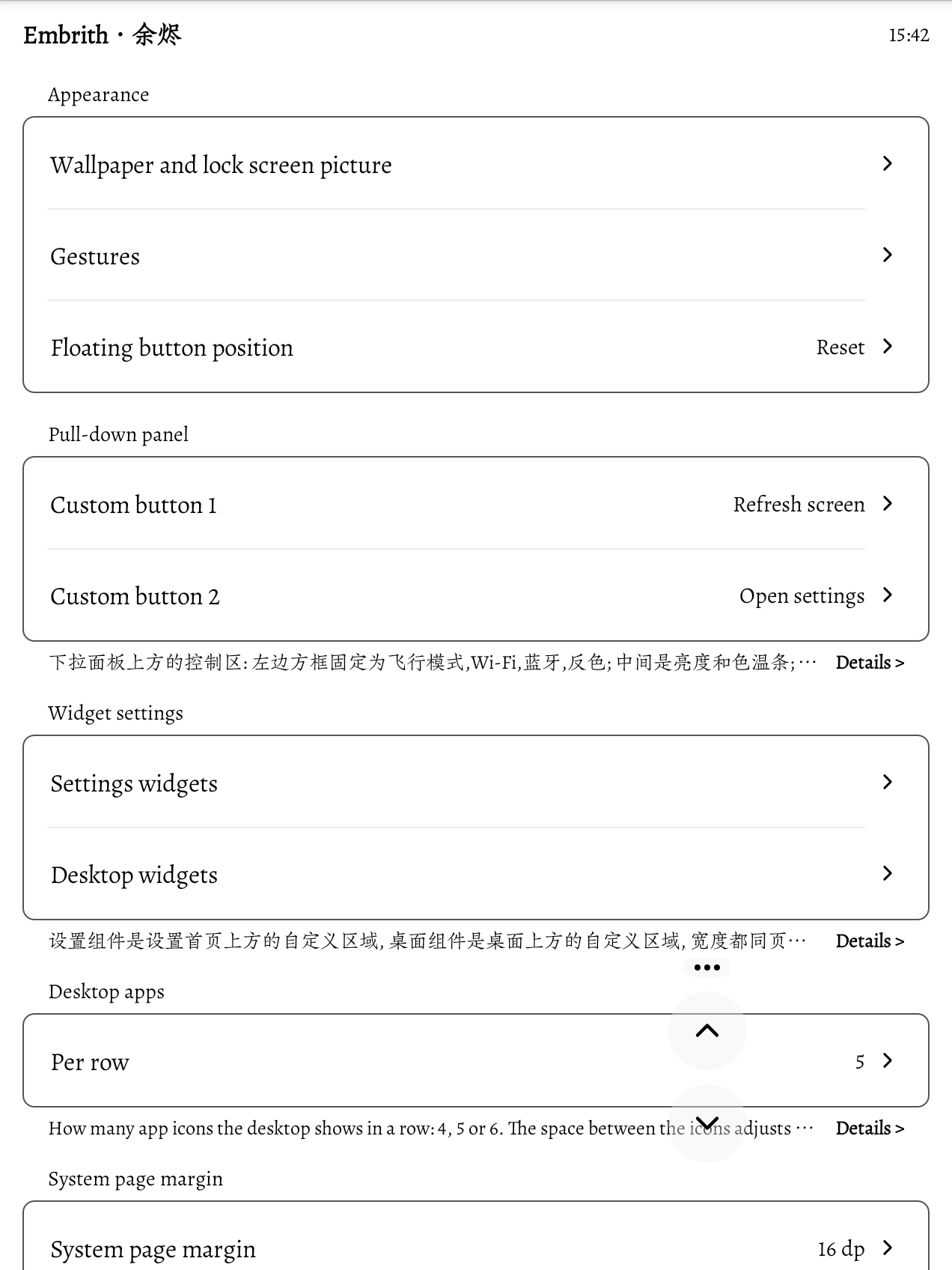
Home and settings widgets are laid out in slots: several sizes (full screen, full-width strip, half-screen column, half-width and others), with the count of each size and their order adjustable; quick-button widgets are available.
Supported formats: txt, epub, mobi, azw, azw3, kfx (DRM-free only); comics in cbz and cbt (including epub / mobi / azw3 books made of image pages). cbr and cb7 files are listed in the library but cannot be opened yet; convert them to cbz first. PDF is not supported.
Chapters: epub books are split by their table of contents (including anchors inside one file), falling back to heading lines in the text when the table is too short; txt chapter headings are detected automatically (Chinese chapter words, chapter / part, numbered lines, layout), or set your own regular expression in Settings > Library.
Reading: blanks at the start of a paragraph no longer add up; the indent set in the settings is used instead.
Personalization
Bottom bar pages and their order can be adjusted. The widget areas of the home and settings home pages are laid out in the slot editor: pick a widget, then tap a cell in the preview; tap a placed widget to move it.
Library location, recent-reading display, page layout and sort order can be set separately.
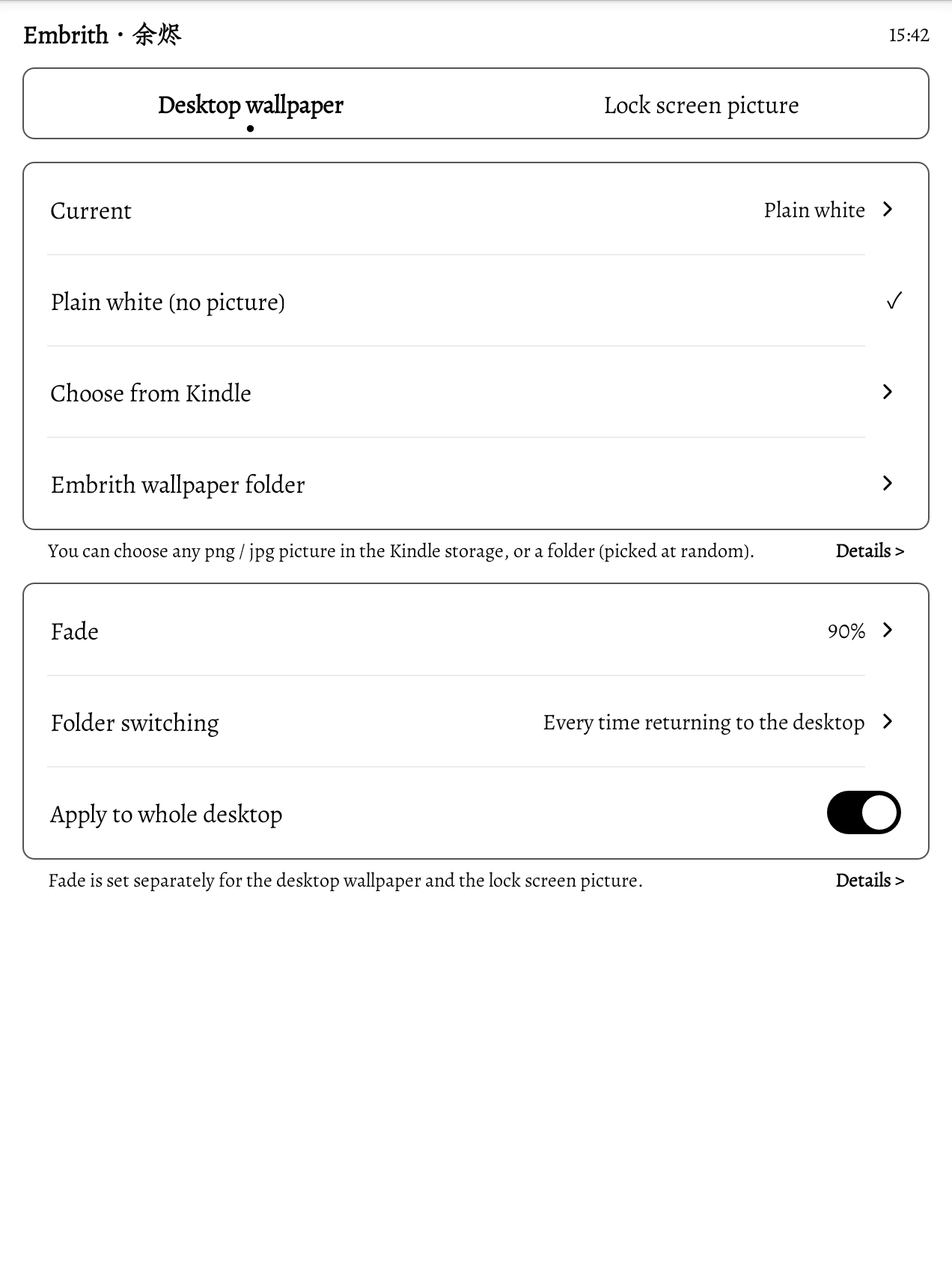
Home wallpaper and lock screen image: plain white, a single image from Kindle, or a random image from the Embrith wallpaper folder; fade level and folder switching time are adjustable; the picture list shows small previews.
Reading Stats and Check-in
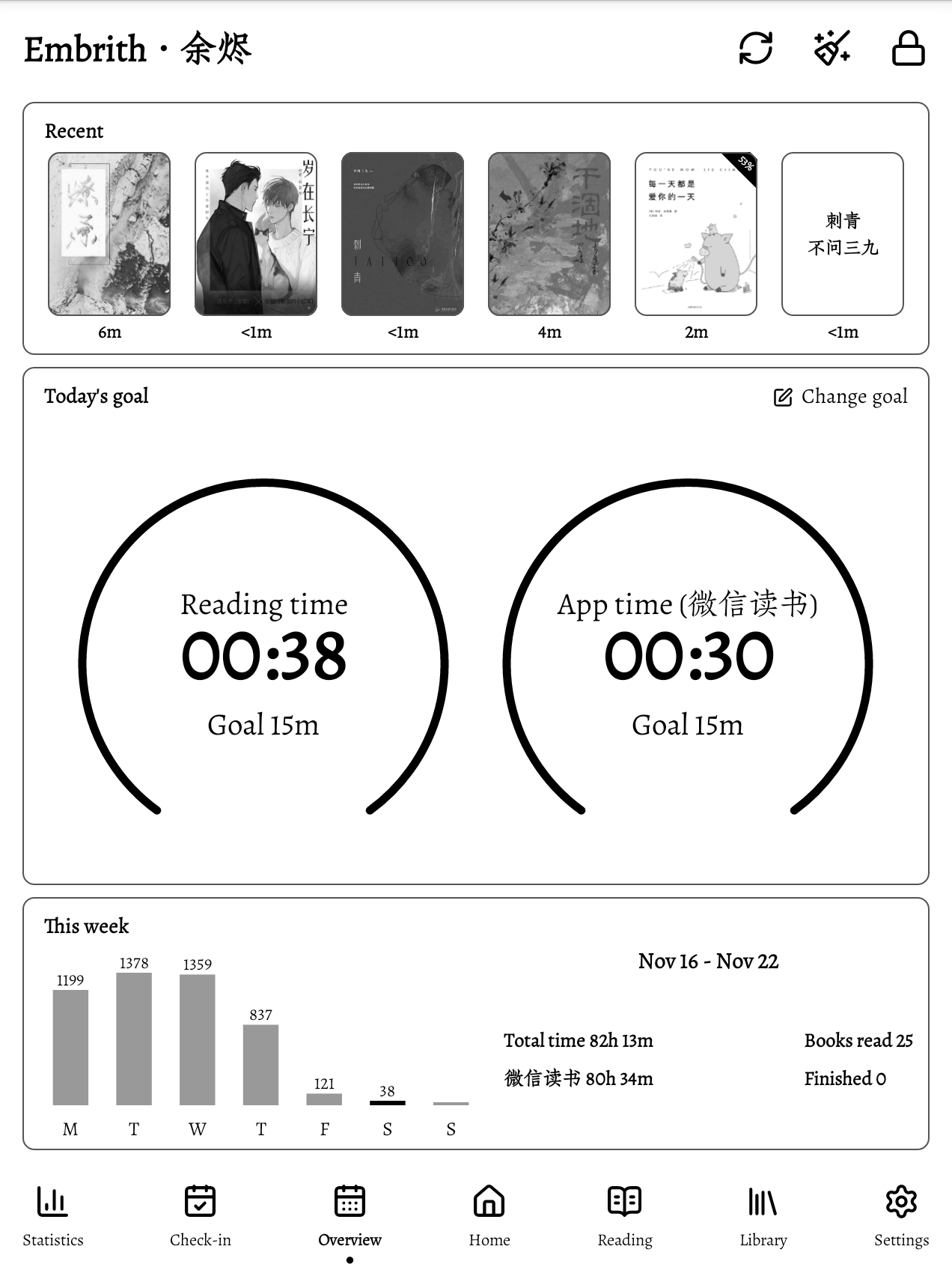
Overview: recent reading, today’s goal (reading time / app time), and a summary of the week.
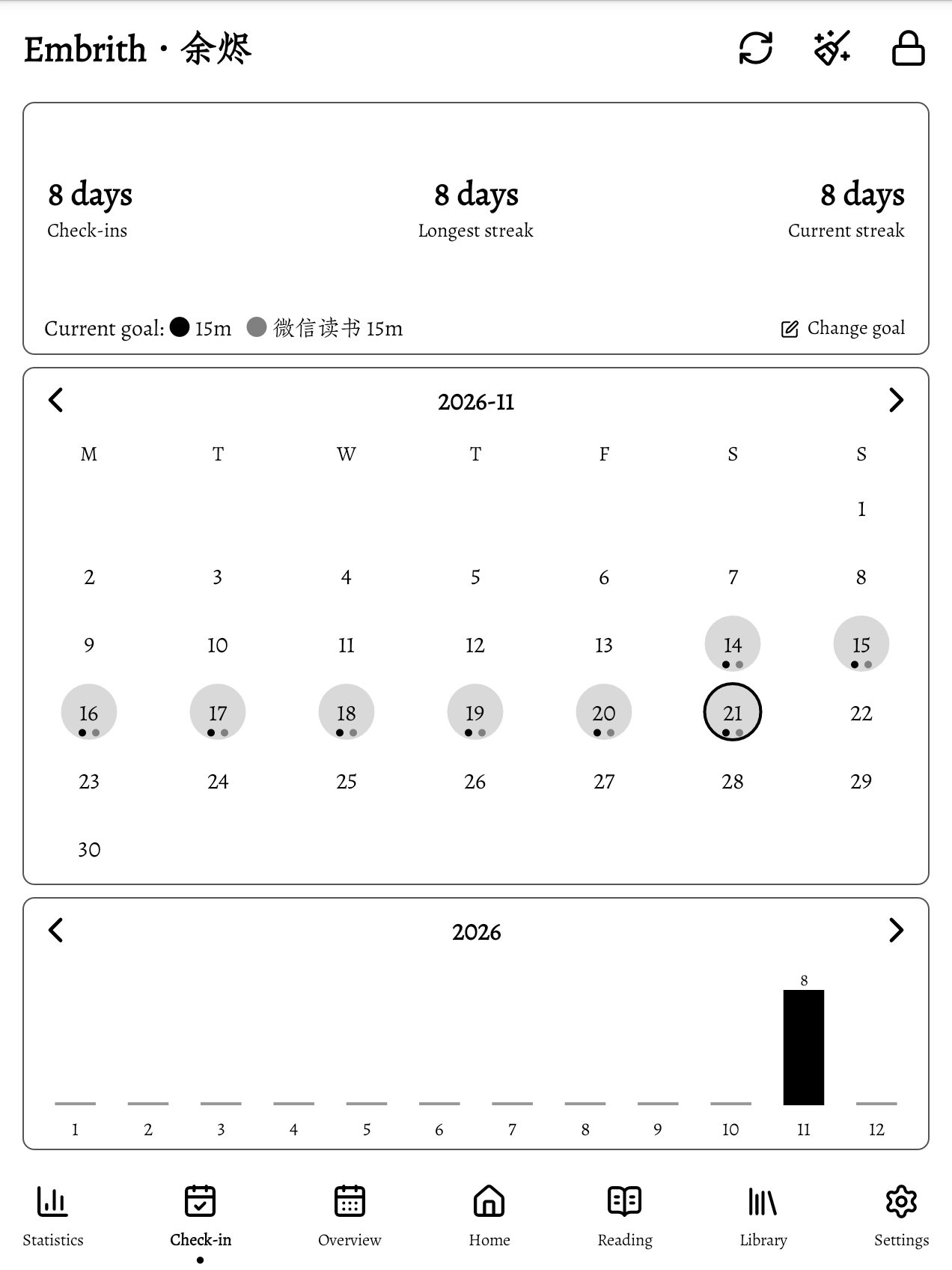
Check-in: total days / longest streak / current streak, calendar view, adjustable daily goal, and a monthly bar chart at the bottom showing the number of successful check-in days per month.
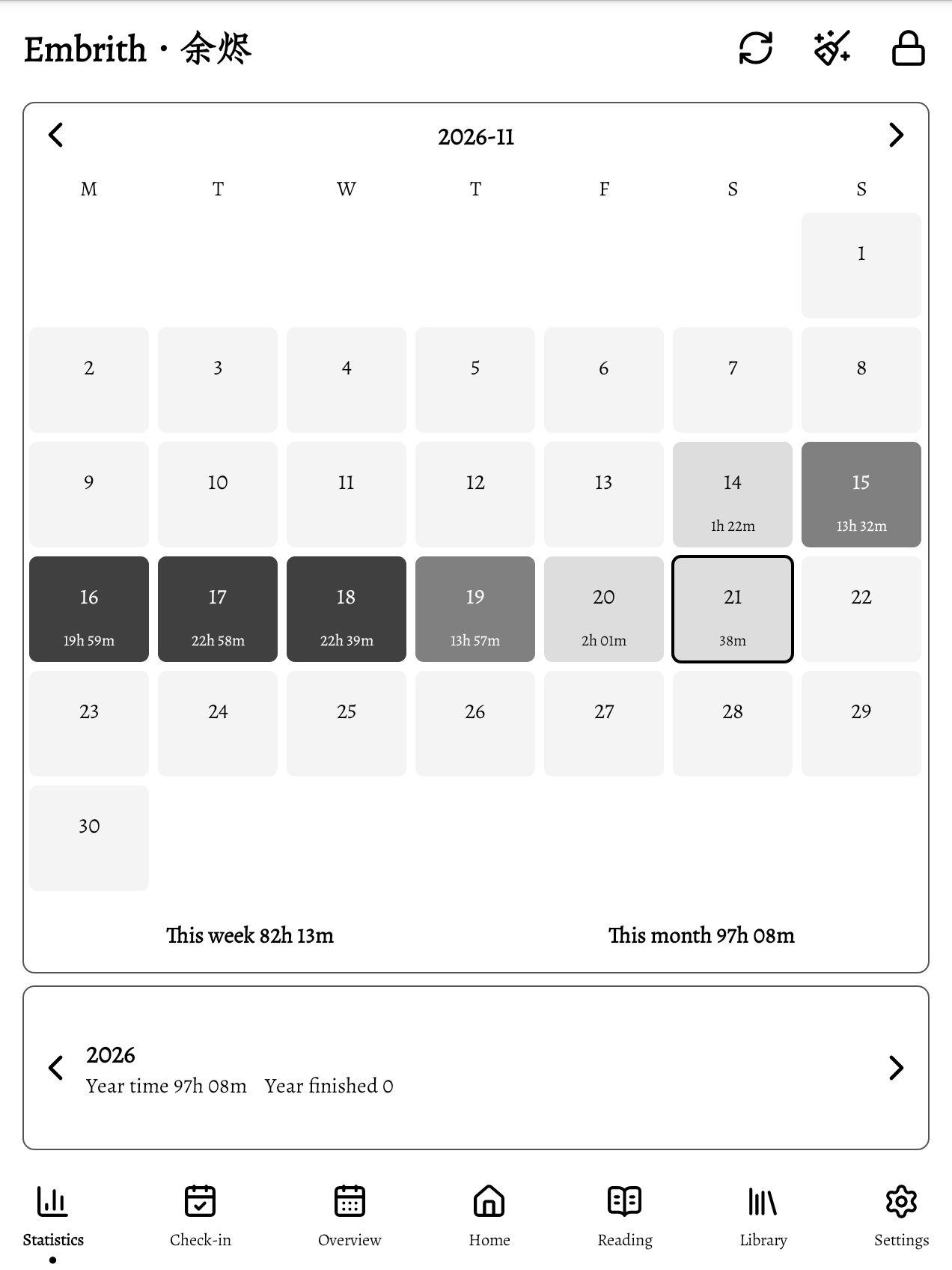
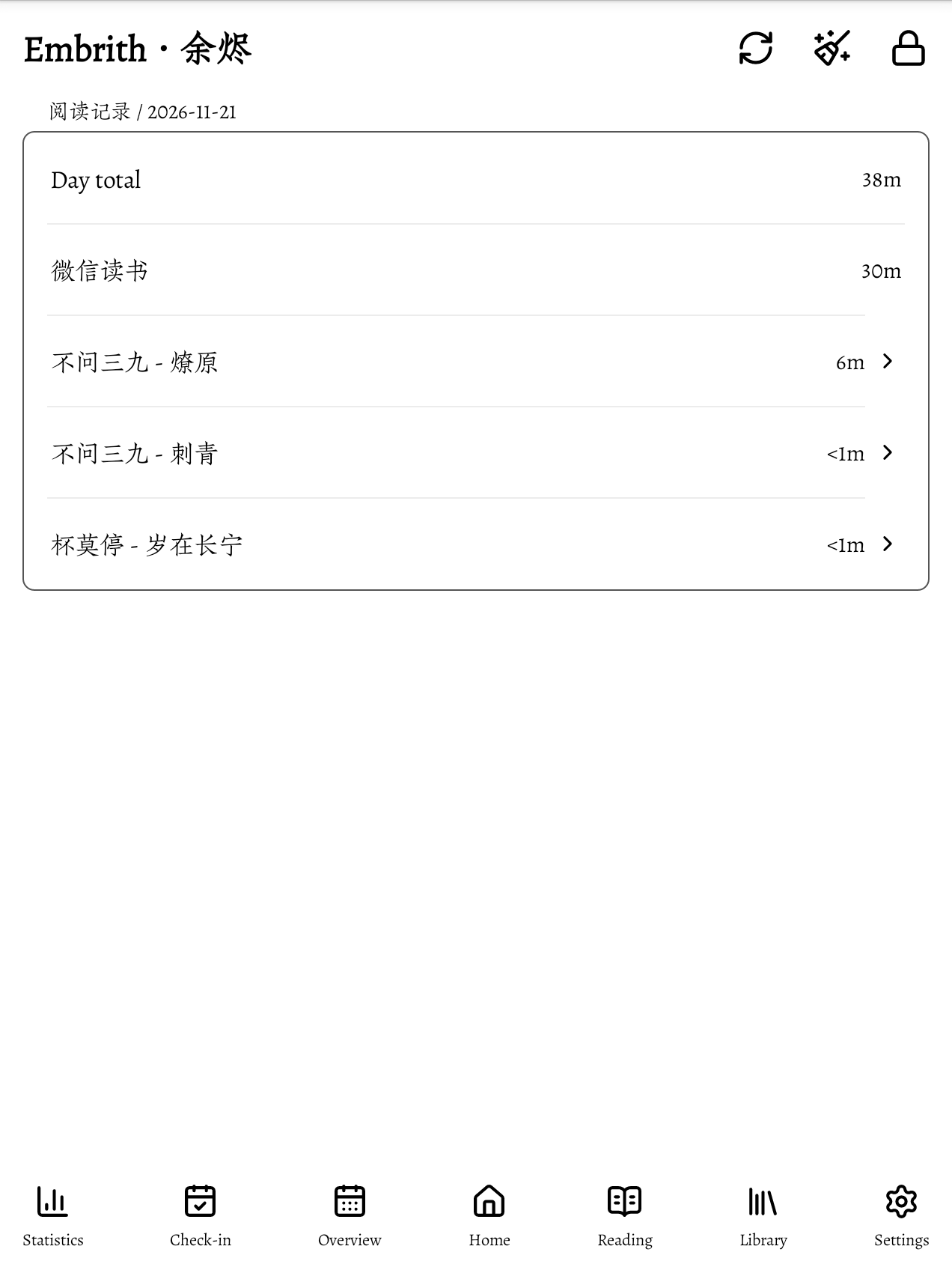
Stats: monthly calendar heat map, tap a day to see time per app, and reading time for the week / month / year.
Touch and Gestures
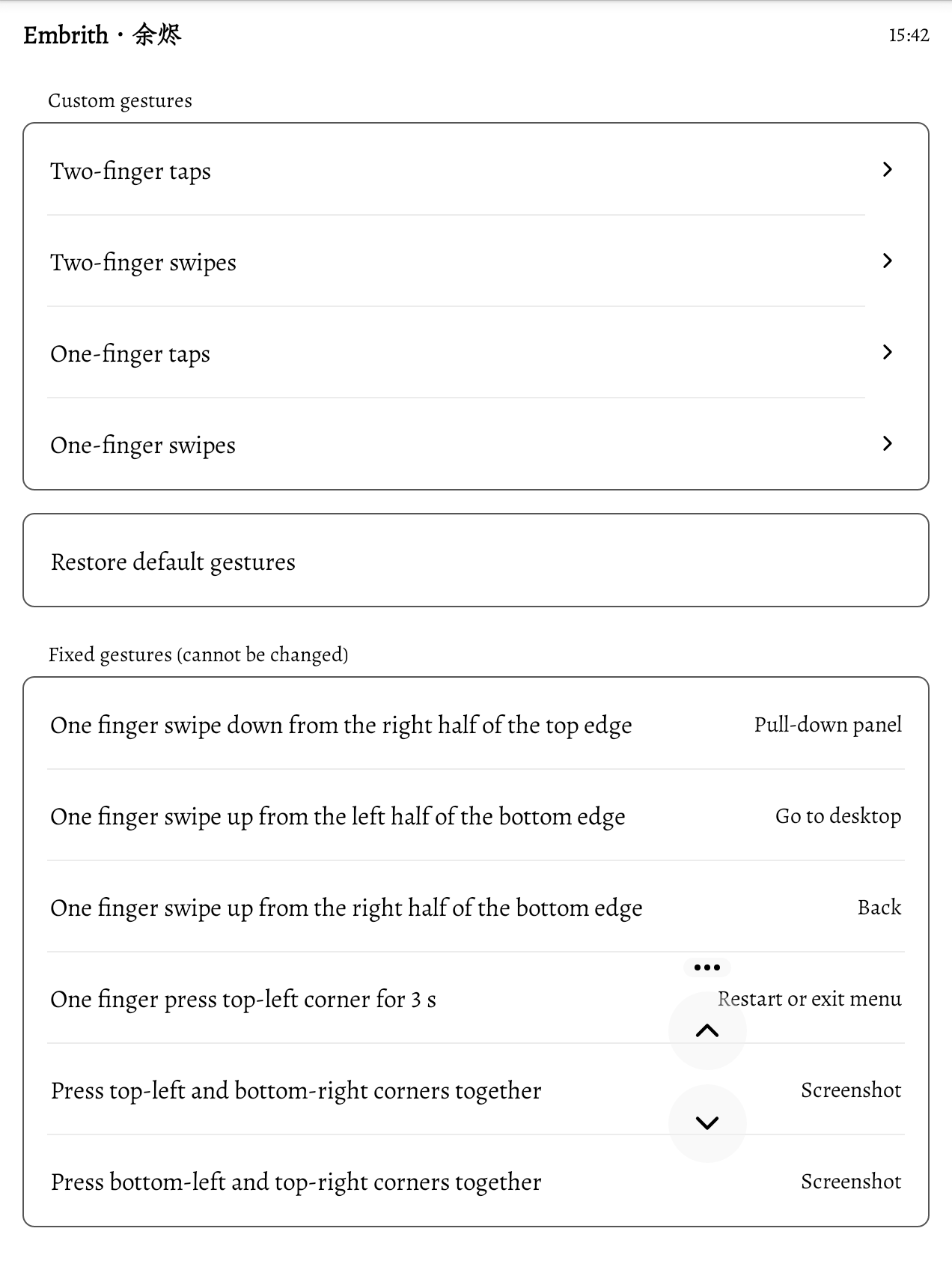
Fixed gestures: swipe down from the right half of the top edge = pull-down panel; swipe up from the left half of the bottom edge = Home; swipe up from the right half of the bottom edge = Back; press and hold the top-left corner for 3 seconds = restart / exit menu (restart Embrith, exit Embrith, restart Kindle; Embrith still exits if Android does not answer); press two opposite corners at the same time = screenshot.
Configurable gestures: one-finger and two-finger taps and swipes. Gestures and buttons share one set of actions: refresh screen (clear ghosting), invert colors, Back, Home, frontlight (toggle / set / up / down), color temperature (set / warmer / cooler), Wi-Fi toggle, open status bar, open settings, sleep, screenshot, previous page, next page, switch app (recent tasks) and more. Swipe gestures also offer adjust frontlight brightness / adjust color temperature, for a two-finger swipe up or down (left or right half) and a one-finger swipe up or down along the left or right edge; the level follows the fingers while they move, and the amount grows with the distance.
One-tap restore of the default gestures.
Quick buttons (the custom buttons of the pull-down panel and the settings home widgets share one set of actions): choose actions such as frontlight (set / up / down / toggle), warmth, Wi-Fi, Bluetooth, airplane mode, invert colors, refresh, screenshot, sleep, restart and eject USB; actions with a value take a number, and toggles show their state; the floating page buttons can be dragged to a new place.
Soft keyboard: an edit row (select, select all, copy, cut, paste).
Display and Refresh
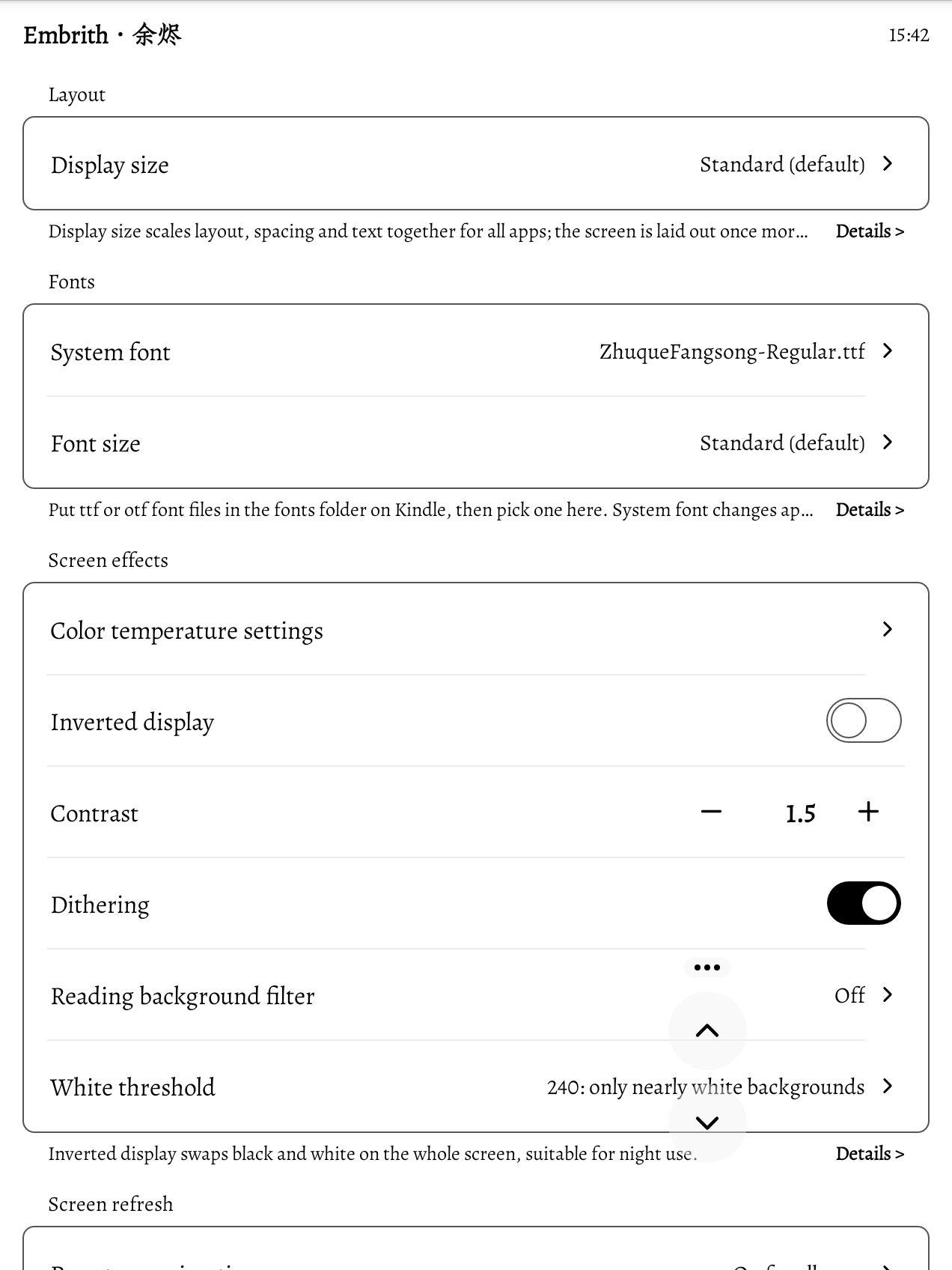
Display size, system font (choose a ttf / otf file from Kindle), and font size.
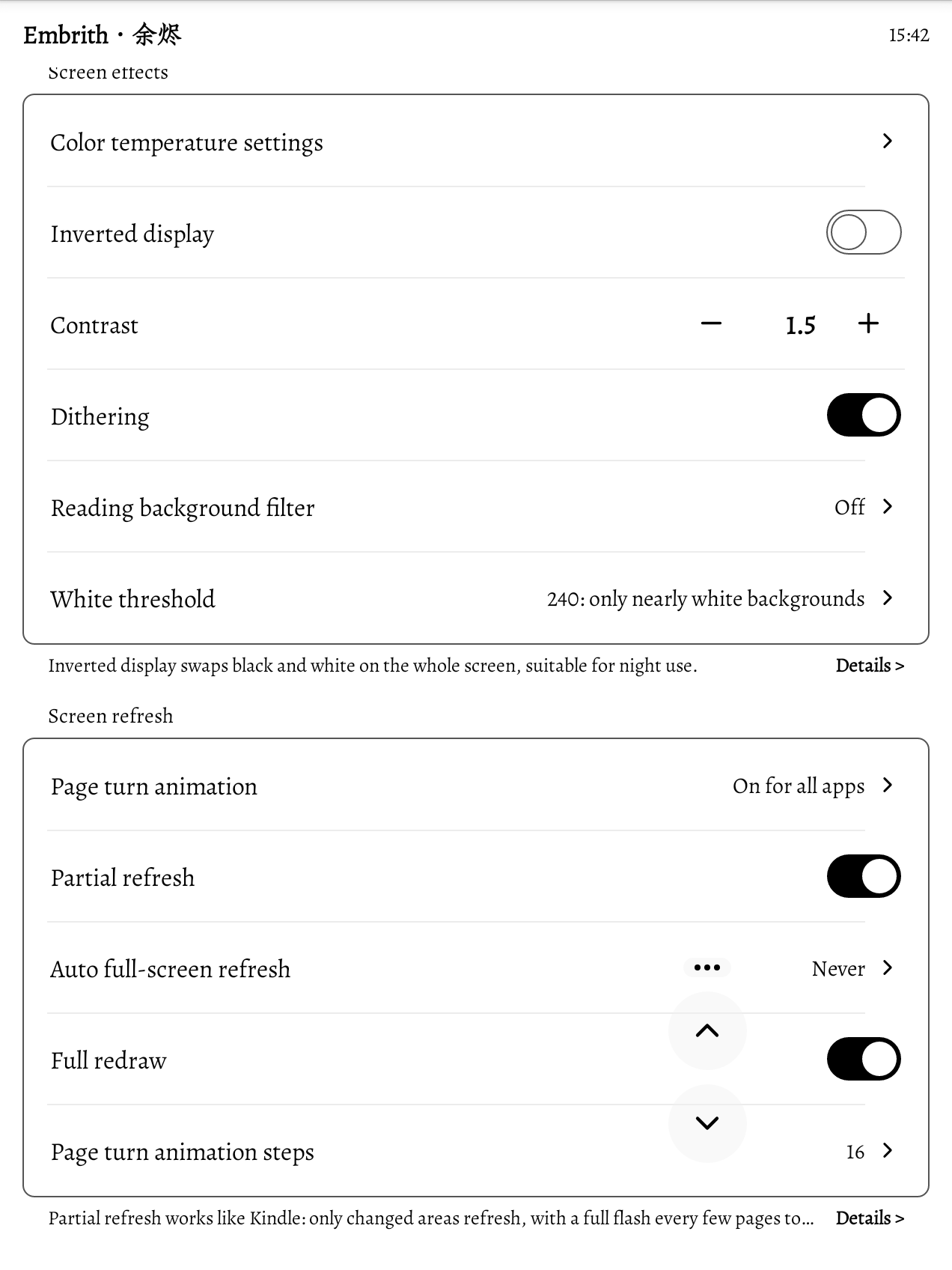
Color temperature, invert colors, global contrast, dithering.
Reading background filter: for selected apps, filters background patterns / colors to pure white, with an adjustable threshold.
Partial refresh, automatic full-screen refresh, configurable page-turn animation step, page-turn animation can be disabled for specific apps, full-screen redraw.
Networking and Connectivity
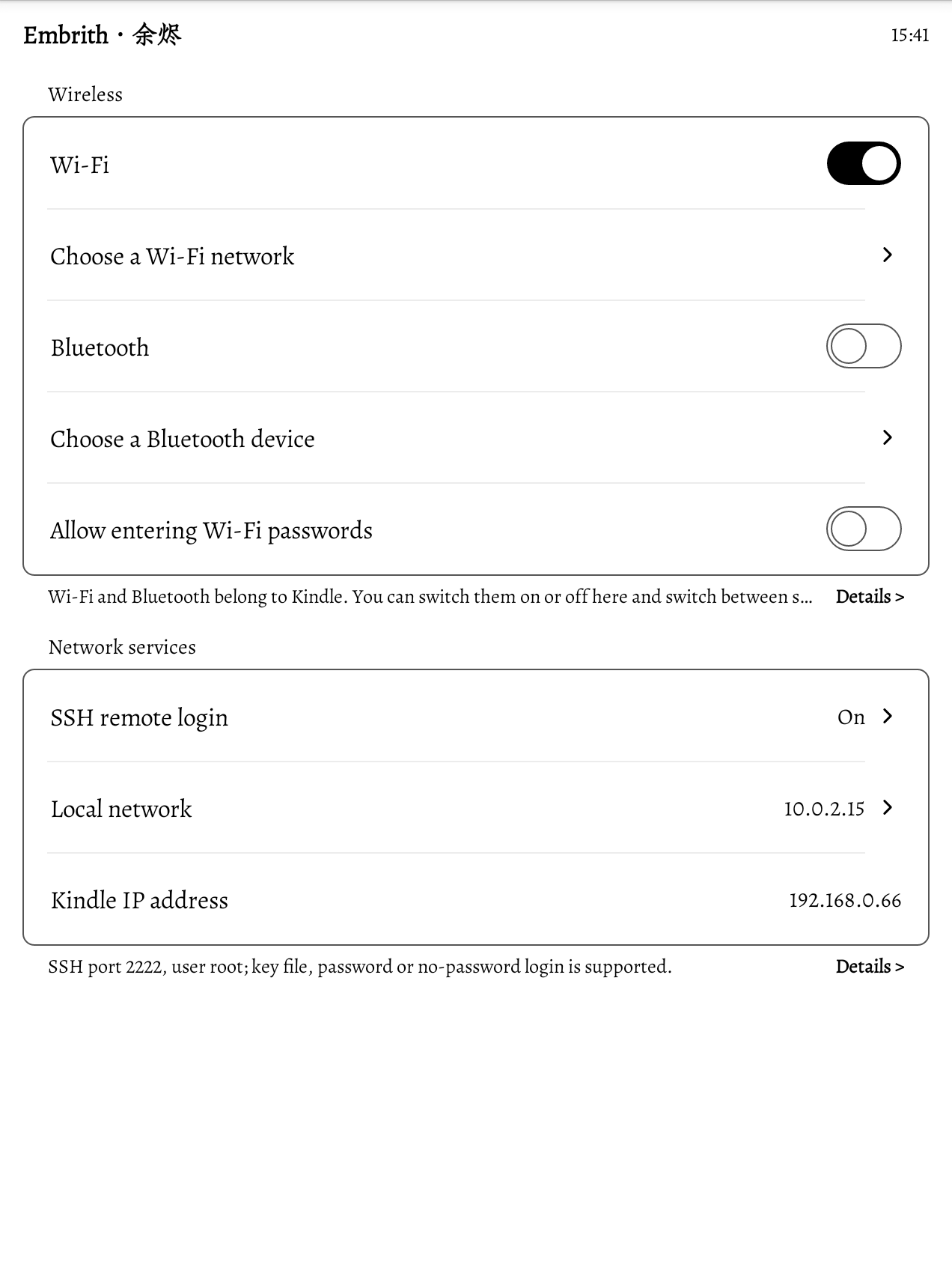
Connect to new Wi-Fi networks from within the system, and connect to paired Bluetooth devices.
DNS presets (Automatic / Alibaba / Tencent / Google / Custom).
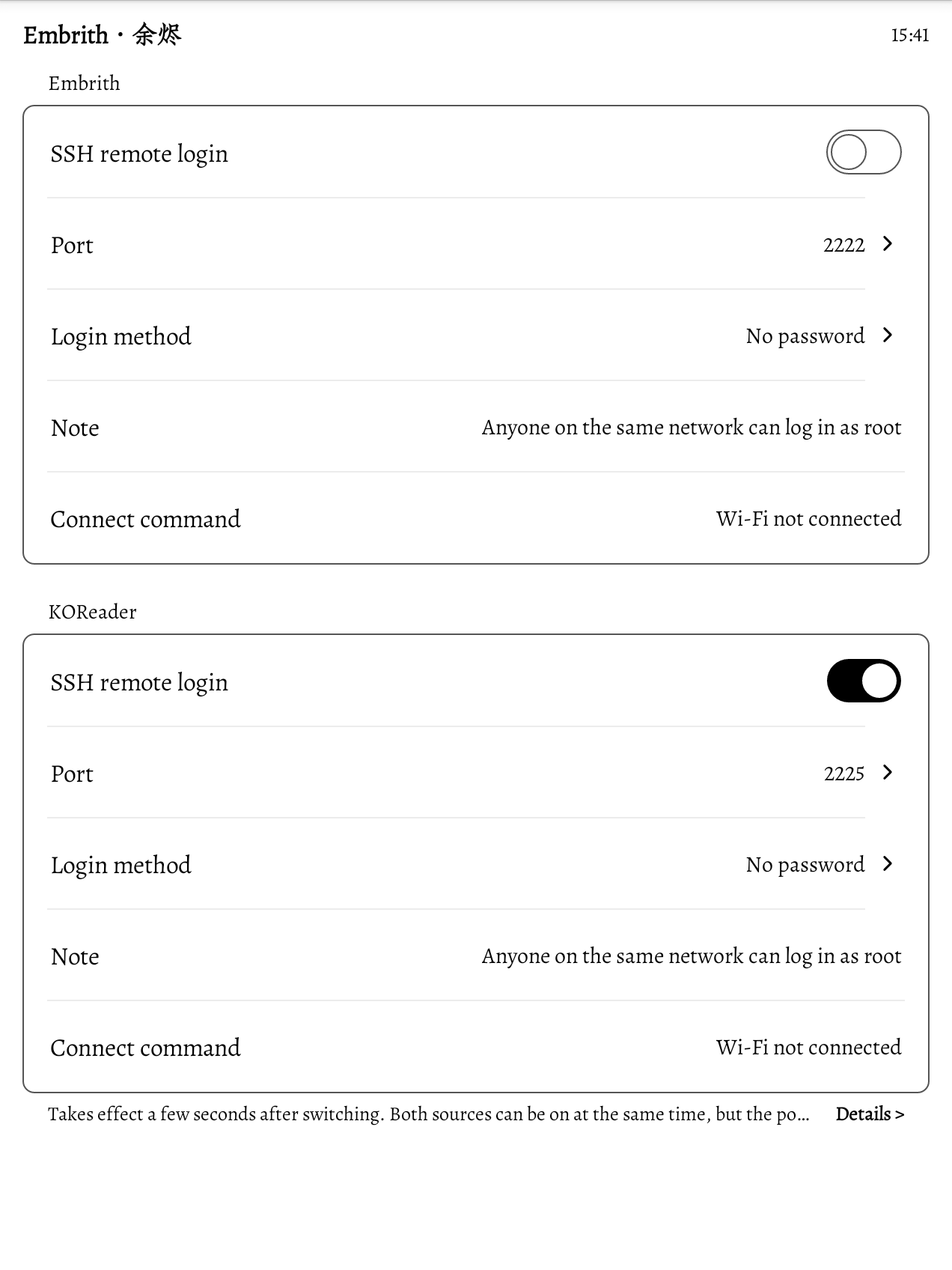
SSH (built-in dropbear, password and public-key login) and SFTP (OpenSSH sftp-server), with a Kindle-side SSH page and session cleanup. The Embrith and KOReader sources can be enabled at the same time on different ports. A Booklet launch script lets you enable SSH without starting Embrith.
MTP connection; eject the connection to resume normal use. While MTP is connected, Embrith cannot read Kindle data.
Power and System
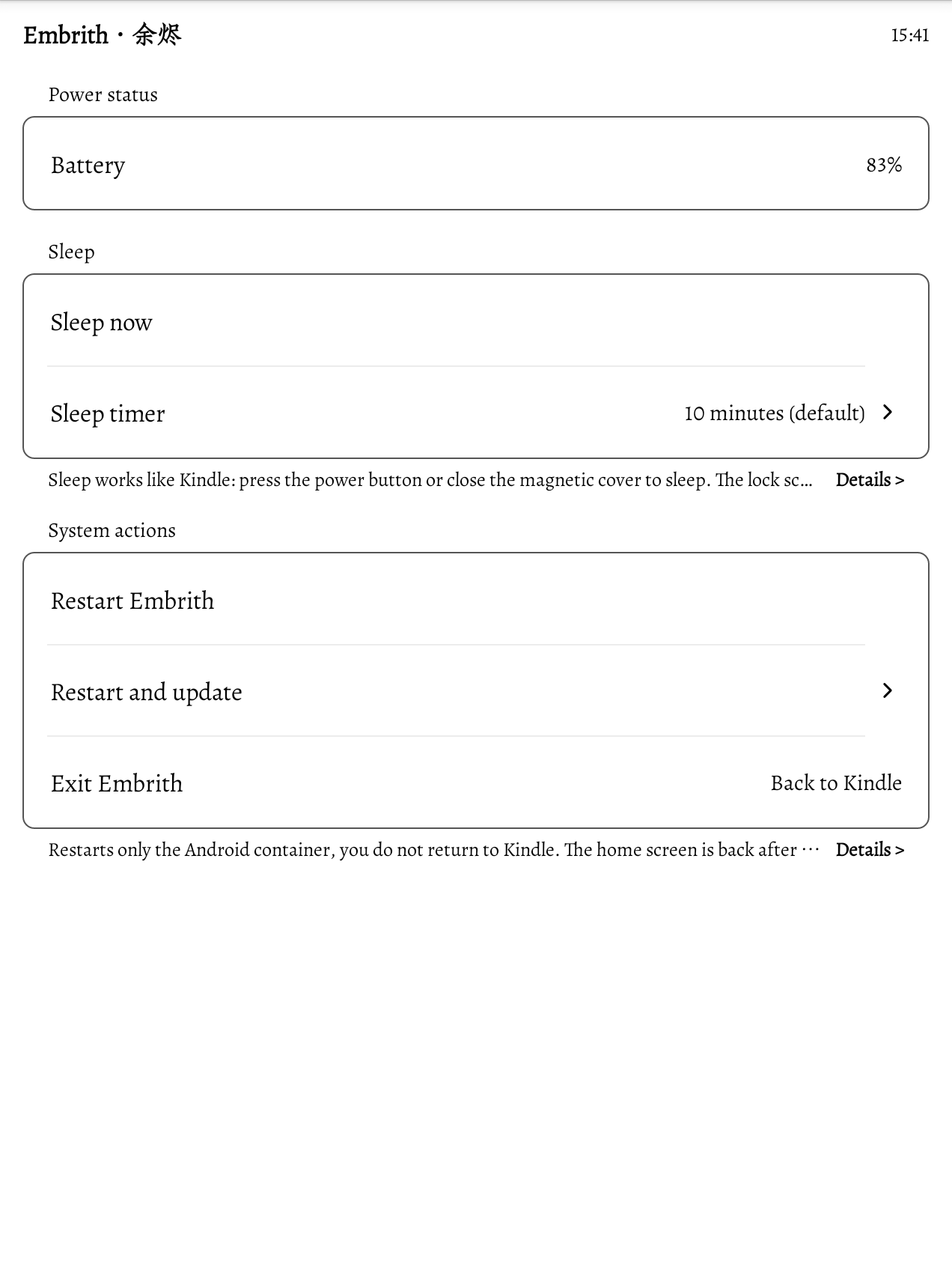
Sleep now, sleep timer, restart Embrith, restart Kindle, restart and update, exit back to Kindle.
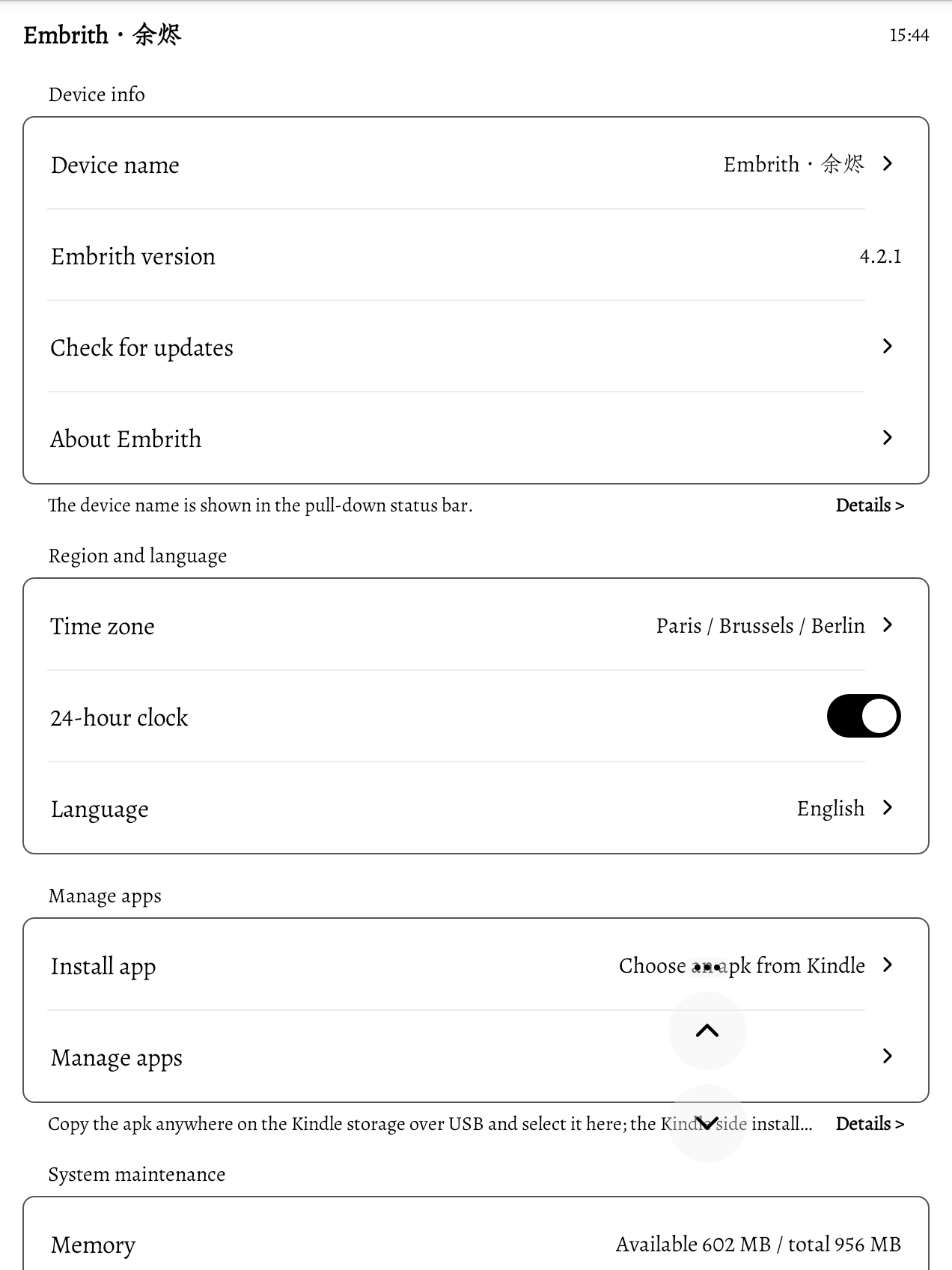
Device name, time zone, 24-hour clock, language (Chinese / English), app management, memory view and freeing background apps.
Advanced and compatibility: newer WebView, dex2oat optimization, shared folders, developer mode.
Reliability
Safe updates: update packages are verified, and the previous version is restored if the new one fails to start.
Local update: verified update and forced overwrite update.
Online update: download the latest release from GitHub.
Log reports:
embrith.sh report [minutes]or Settings > System > Generate Log. Logs can be viewed and deleted from the list. Logs are written to RAM by default (to flash only whenDEV_MODE=1).
Other
Physical keyboard support, and on-screen Chinese and English input (EmbrithIME: offline Pinyin).
Status
Tested on Kindle PW6: container boot and launcher, sleep and wake, app installation, SSH, SFTP, networking (slirp4netns), refresh engine, Wi-Fi, WebView, USB page, Chinese and English interfaces, screenshot gesture, system fonts, DNS settings, home widget layout, dex2oat tuning, local file reading, and more.
Not provided: audio and video playback.
Installation
Copy the contents of the release package (
src/) to/mnt/us/embrith/src/on your Kindle.Copy the scripts in
documents/to/mnt/us/documents/.Run “Embrith Starter” from the Kindle library. It installs the verified package to
/mnt/us/system/embrith/(keeping the previous version for rollback), then starts Android.To exit, tap the power button at the top right of the Android home screen and choose Exit, or press and hold the top-left corner for 3 seconds.
Command line (SSH or shell): embrith.sh start|stop|restart|status|log|report [minutes]|logcat|shot|disptest|fbdiag|icons|shell [cmd]|install <apk>|launch <package>.
Building from Source
aosp/: AOSP patches, device tree, and build scripts (Linux, Podman build container; the AOSP source tree itself and third-party sources such asandroid-ndk-r15candswiftshader-2018are not in this repository).host/: Kindle-side components (shell scripts and C source code; cross-compiled with Zig viahost/tools/build.sh).
aosp/andhost/are decoupled. Binary files are not committed to the repository.
Version Notes
Earlier versions of the source and releases contained third-party source code (Mozhuo) used without authorization, a prebuilt WebView package redistributed without authorization (com.google.android.webview, Chromium 119.0.6045.194, from APKMirror), and third-party license information that was not listed in detail. These are no longer public.
Since v4.0.0, Embrith has restructured its source code and the implementation of some features, and added code source information and the matching license and copyright notices (see third_party/README.md).
If you downloaded the source or releases of an earlier version, please delete them, do not use or redistribute them, and use the latest version in this repository instead.
If you find any remaining omissions in attribution, sources or licenses, please let me know through Issues, and I will look into it and address it as soon as possible.
Merged External Contributions
Kindle Colorsoft (KC) display support (RGBA display backend, color display switch, page-turn animations, etc.), contributed by GitHub user Emokable as a pull request and merged (v3.1.0). It covers
aosp/device/kindle/kc/andPR-KC.md(the description of that pull request), plus related changes in the display protocol, the display daemon and the launcher settings.
Acknowledgements
Ideas and technical references were drawn from KOReader, RetyOS, and VeraDroid.
Third-party components: AOSP, Chromium (WebView), fbink, dropbear, OpenSSH (sftp-server), slirp4netns, SwiftShader, and openlipc (headers only, used at build time). Icons: Lucide. Pinyin dictionary: Android Pinyin IME (data obtained through RetyOS).
AI-Assisted Development
The author sets the requirements and direction of Embrith; most code drafts, documentation and analysis are generated by Claude (Anthropic) in conversation. The author proposes requirements, adopts changes, and tests behavior on real hardware. The code has not been reviewed line by line, and anything not verified on a device is marked experimental. Every change is checked against known reference projects and third-party licenses for provenance, but AI-generated code may still resemble existing open-source code. If you find any omission in sources, attribution or licenses, please report it in Issues and I will look into it as soon as possible.
Trademarks
Kindle and Amazon are trademarks of Amazon.com, Inc. or its affiliates, and Android is a trademark of Google LLC. Embrith is an independent open-source project and is not affiliated with, sponsored by, or endorsed by Amazon or Google. These names are used only to describe the devices and systems the project is compatible with.
License
GPL-3.0-or-later; see the LICENSE file. Licenses of referenced projects and third-party components are listed in third_party/README.md.
Support Embrith
If you find Embrith useful, consider supporting its development.
